Everything in the app.
One desktop app for the whole road from A1 to B1. Here is each part, with real numbers and real screens.
Course
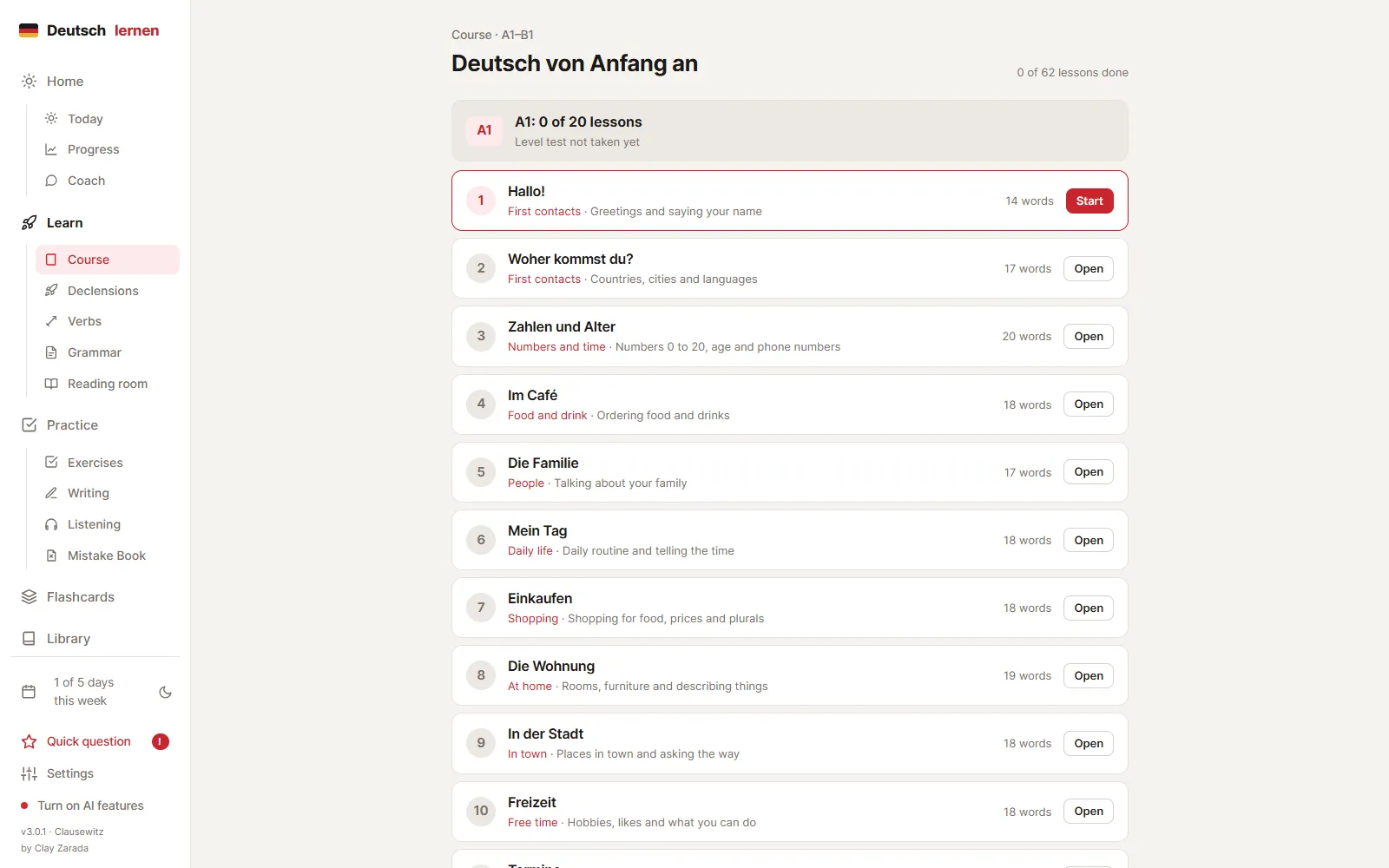
62 lessons from A1 to B1, written in advance.
Twenty lessons for A1, twenty for A2 and twenty-two for B1. Every lesson has the same four steps: new words with their articles, a short dialogue, one grammar point and exercises you type. Its words go into your flashcards in one click, and each level ends with a test; pass it and the course moves you on.
The A2 and B1 lessons follow the themes and grammar of the Goethe-Zertifikat syllabus. The lessons were written with AI help, then checked against the app's dictionary and grammar engine and corrected before release. Every lesson is also in Turkish.
Reading room
Texts at the edge of what you know.
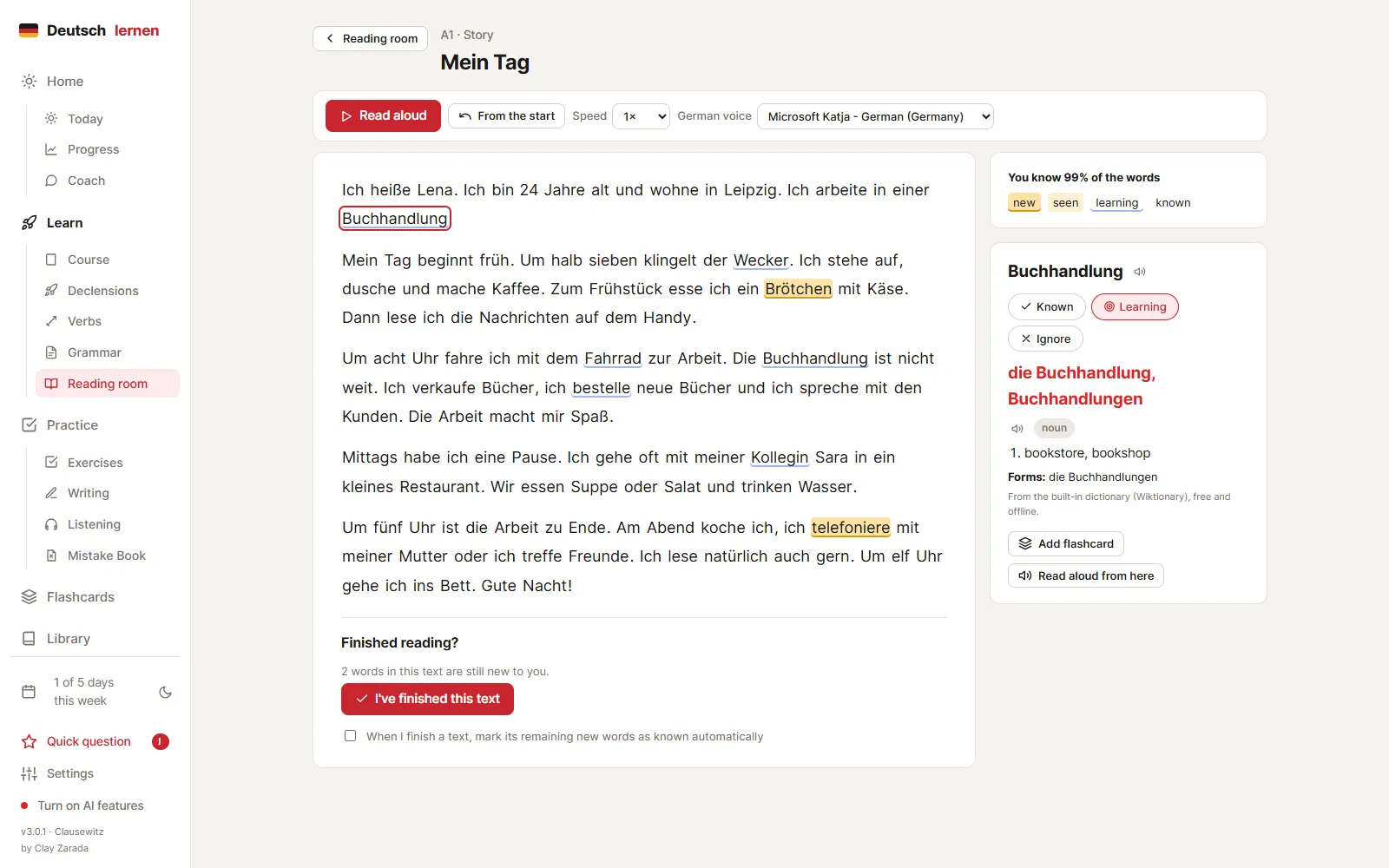
30 original texts, ten each at A1, A2 and B1: stories, a three-part mystery, emails, a recipe, and articles about German cities and life. Each text shows what share of its words you already know, and texts where you know 90 to 98% are suggested as your next read.
New words are highlighted. Click any word to look it up, mark it known or learning, or make a flashcard. Your computer's German voice reads aloud, sentence by sentence: on Windows, Microsoft's natural voices when you're online and the installed voice when you're not. Paste or import your own texts too, and with AI turned on, have a story written from the words you know, labeled as AI-written.
Grammar handbook
Every rule from A1 to B1, explained once and well.
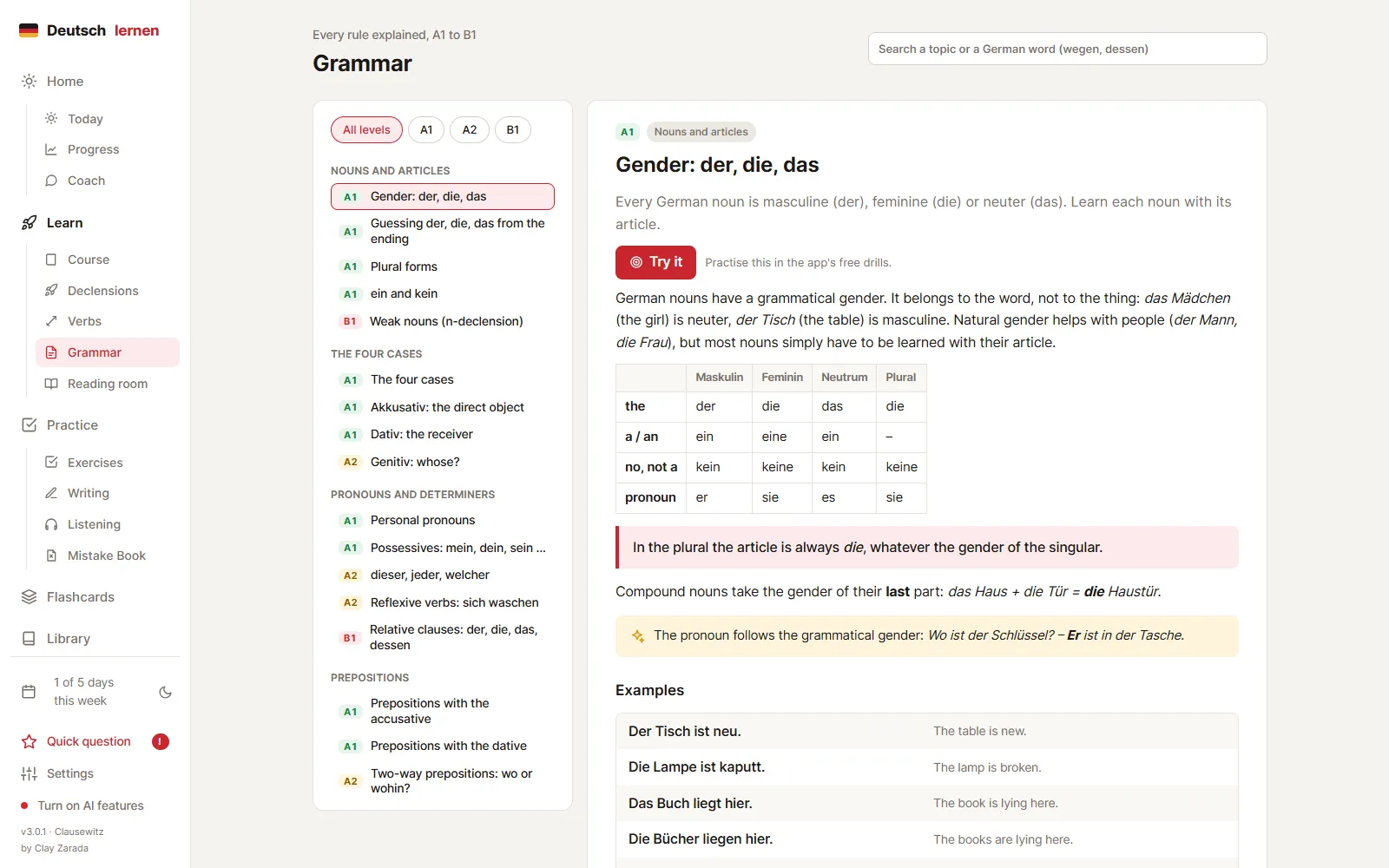
A searchable handbook of 45 short topics, with tables, examples and the mistakes people usually make. In Turkish mode each topic adds a note comparing German with Turkish. When you get something wrong, “Explain this” in the Mistake Book opens the rule behind it.
Grammar is drilled as well as explained. The der/die/das trainer teaches the rules behind the genders (-ung is feminine, -chen is neuter) and says when a noun is an exception. Keep the adjective-ending table open while you practice, and build sentences by typing them instead of tapping tiles.
Writing, listening and the Mistake Book
Practice that remembers what you got wrong.
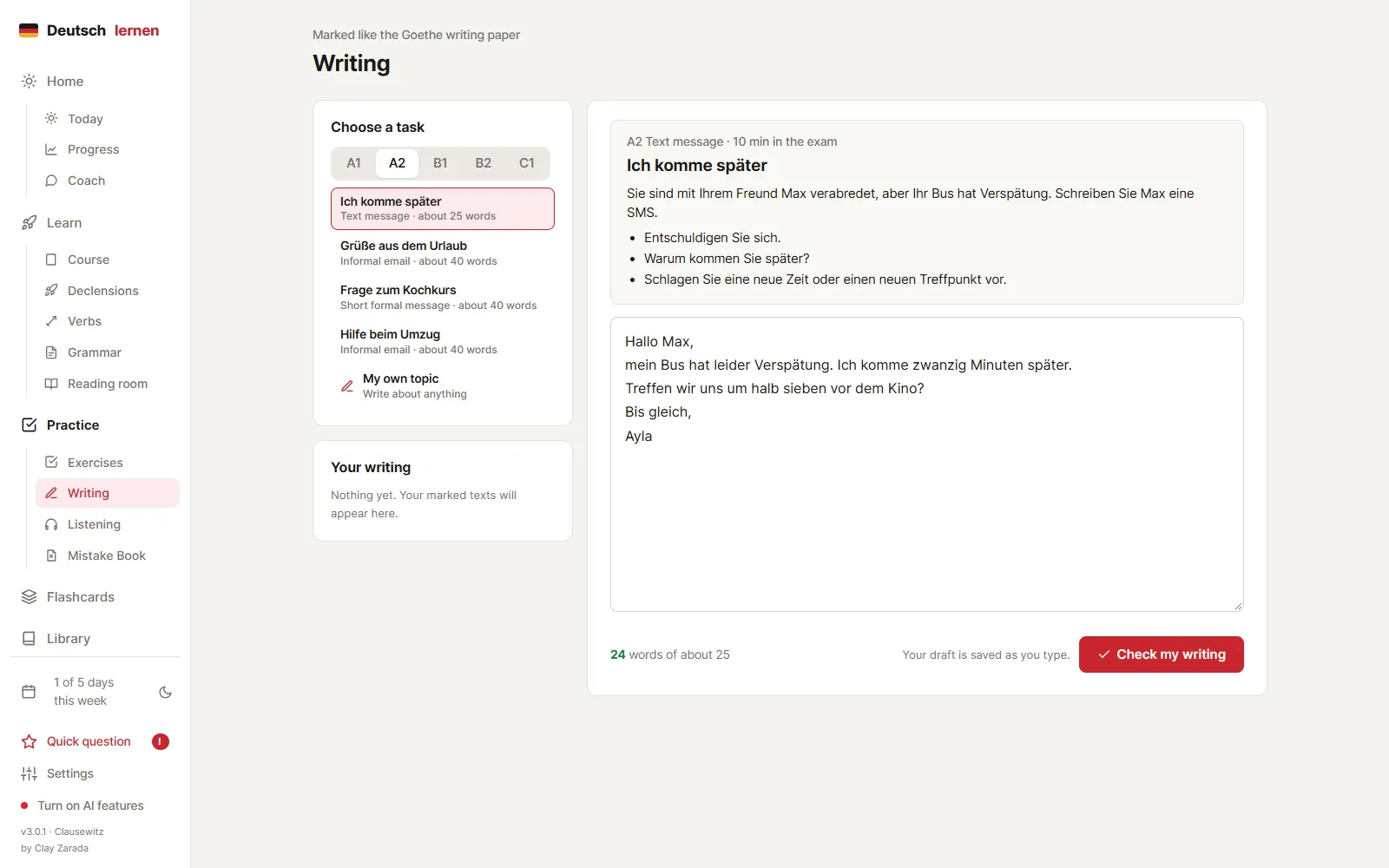
Writing. 18 exam-style tasks from A1 to C1, or a topic of your own. AI marks your text the way the Goethe-Zertifikat writing paper is marked: task completion, coherence, vocabulary and grammar. It marks every error in your text and adds the corrections to your Mistake Book.AI
Listening. Dialogues, podcasts or stories written from a chapter at your level, with transcript, translation, vocabulary and questions. AI writes the script and Google Gemini voices it, using your own free Gemini key. Audio you import lives here too.AI
Mistake Book. Your Fehlerheft: every wrong answer from exercises, checked pages and writing, grouped by topic and counted when repeated. Drill a topic again, turn mistakes into “fix the mistake” flashcards, or open the rule. Declension and verb mistakes are drilled by the rule engine for free, and a mistake counts as learned once you get it right on three separate days.
Exercises. Gap-fills built from real sentences in your textbook need no AI. With AI, you also get practice sets written for each chapter, marked with explanations.
Flashcards
Spaced repetition on FSRS.
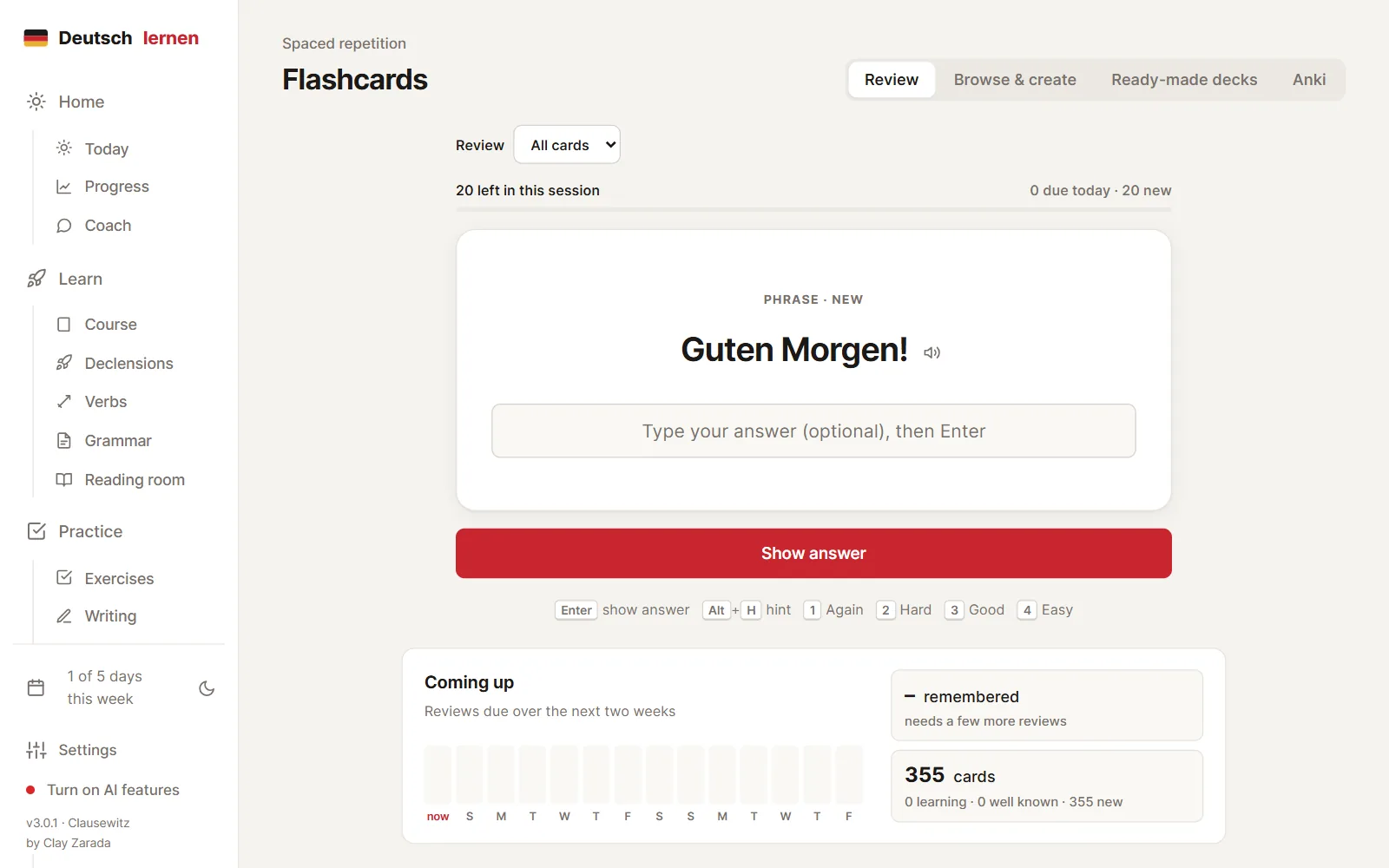
FSRS, the scheduling method modern Anki uses, brings each card back just before you'd forget it, and you choose how much to review in Settings. Start from 20 ready-made packs: everyday phrases, the 1,000 most common nouns, core verbs and adjectives, ten topics, irregular verbs, verbs with the dative or with prepositions, prepositions by case and false friends.
Import your Anki decks (.apkg, .colpkg or text export; learned cards keep their intervals), make cards from anything you read, and export to Anki whenever you like.
Your own textbook
Read your PDF and write on its pages.
Import a PDF under Library; chapters are read from its bookmarks when it has them. In the Reader you can type answers straight onto the page, write by hand with a pen or stylus, highlight and erase. Select any word for its gender, plural and meaning from the offline dictionary, and turn it into a flashcard.
“Check answers on this page” sends the page with your writing to the AI for marking, and wrong answers go to the Mistake Book.AI Export a PDF with your answers written in. From the current chapter you also get free gap-fills and the chapter's words as ready-made cards, with no AI.
Honest progress
What you can do, not how many days in a row.
The Progress page shows the words you know with a chart over time, an estimated CEFR level for vocabulary, grammar, writing and reading with what would move each one up, and your accuracy in each case. Each estimate says where it comes from, and says so plainly when there isn't enough evidence yet.
Once a month you can take an optional 10-minute level check. It uses no AI and never changes your level by itself. Your goal is weekly (“3 of 5 days this week”), with rest days you choose. No streaks, no XP, no leagues, and the app never sends reminders.
AI, when you want it
Optional, and always labeled.
Everything above works without AI. Turn it on with Plus, or with your own Claude API key, and it marks textbook pages and writing, writes practice sets and flashcards from your chapters, writes reading-room stories from words you know, writes listening episodes, plans your day, and answers as a study coach that sees your progress and your Mistake Book.
Anything it writes for you is labeled “AI-written”. Pages that need AI say so up front instead of failing after a click. With your own key, Settings shows what the AI cost this month and lets you set a monthly budget.
Yours, on your computer
Offline first. No account for the free app.
The app runs on your own computer and keeps your study data there. The free features work offline. It backs your data up once a day and keeps the last 14 backups, and “Export all my data” gives you one zip with your study database, spreadsheets of your cards, words, writing and mistakes, and your books, never your API keys.
The interface is in English or Turkish. With Plus, your progress is also backed up to the cloud, so it can follow you to another computer.
Lesson one is called “Hallo!”
Free for Windows and Mac. No account, no sign-up, no card.